
Customize Agent Behavior with Instructions
Think of Instructions as permanent guidelines you give to your AI agents about how you want them to behave. Instead of micro-managing or reminding your agent every single time you start a new task, you write down your rules once, and your agent will automatically remember and prioritize them across all your chats.
Last updated About 2 months ago
Why Use Instructions?
Without specific guidelines, your agent will respond in a default, general style. By adding instructions, you can precisely shape their communication style, output structure, and professional persona.
Here are a few common ways to use them:
Email Formatting: “Keep my emails short and polite. Always start with ‘Hi [Name],’ and end with ‘Thanks, [My Name].’”
Tone & Voice: “Adopt a friendly, casual tone. Write responses as if you are texting a workspace colleague.”
Professional Persona: “Act as an expert corporate counsel. Use formal, precise language and keep all answers legally objective.”
Structure & Layout: “Whenever you compile data or suggest ideas, always present the information in a bulleted list with a minimum of three options.”
The Best Part: You only need to write your instructions once. After that, they seamlessly apply across all of your individual chats with that specific agent.
How to Add Instructions
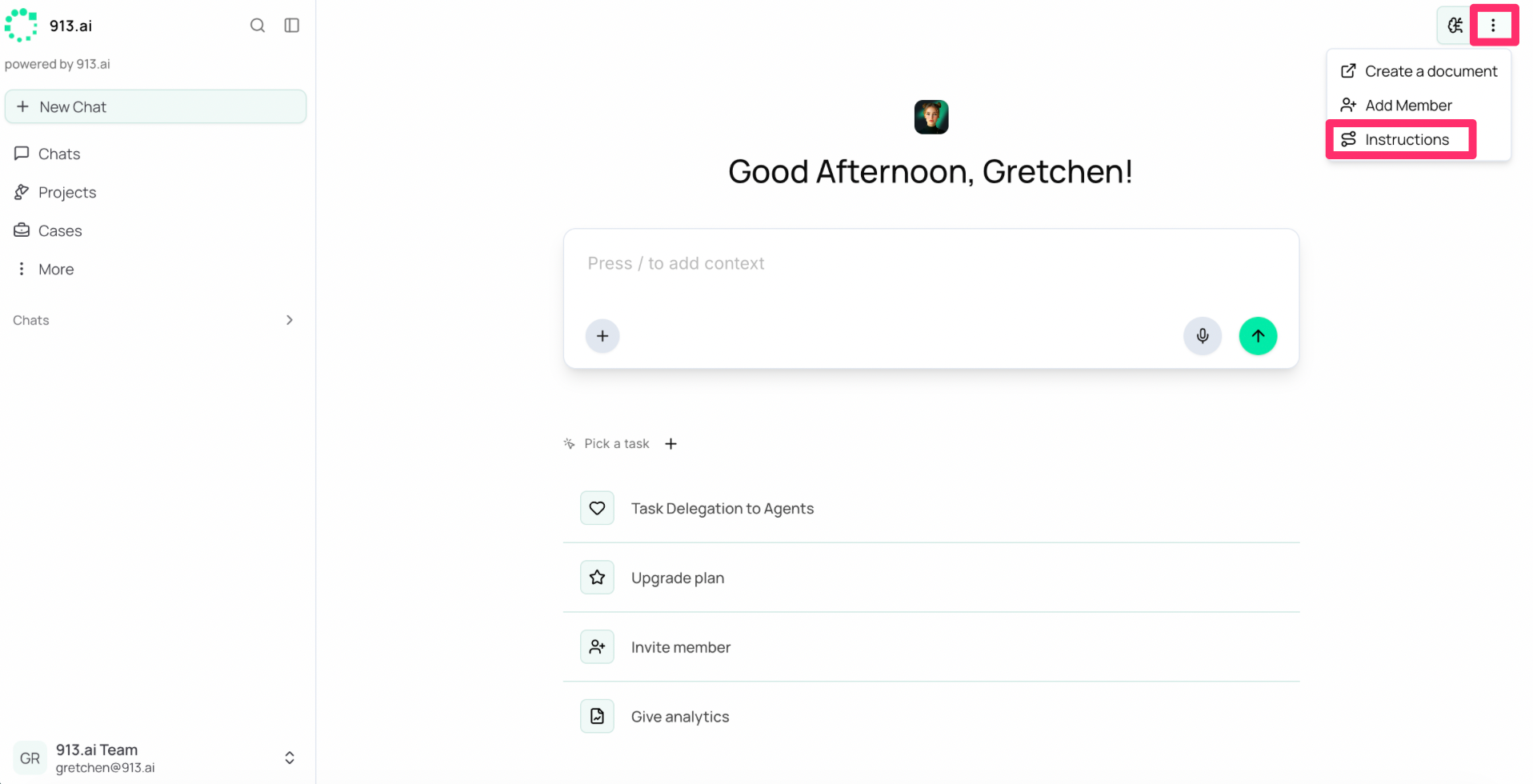
Navigate to the top-right menu of your active workspace screen and click Instructions.
Type or paste your custom behavioral rules into the text box within the pop-up window.
Click Save.
Setting Project-Wide Instructions
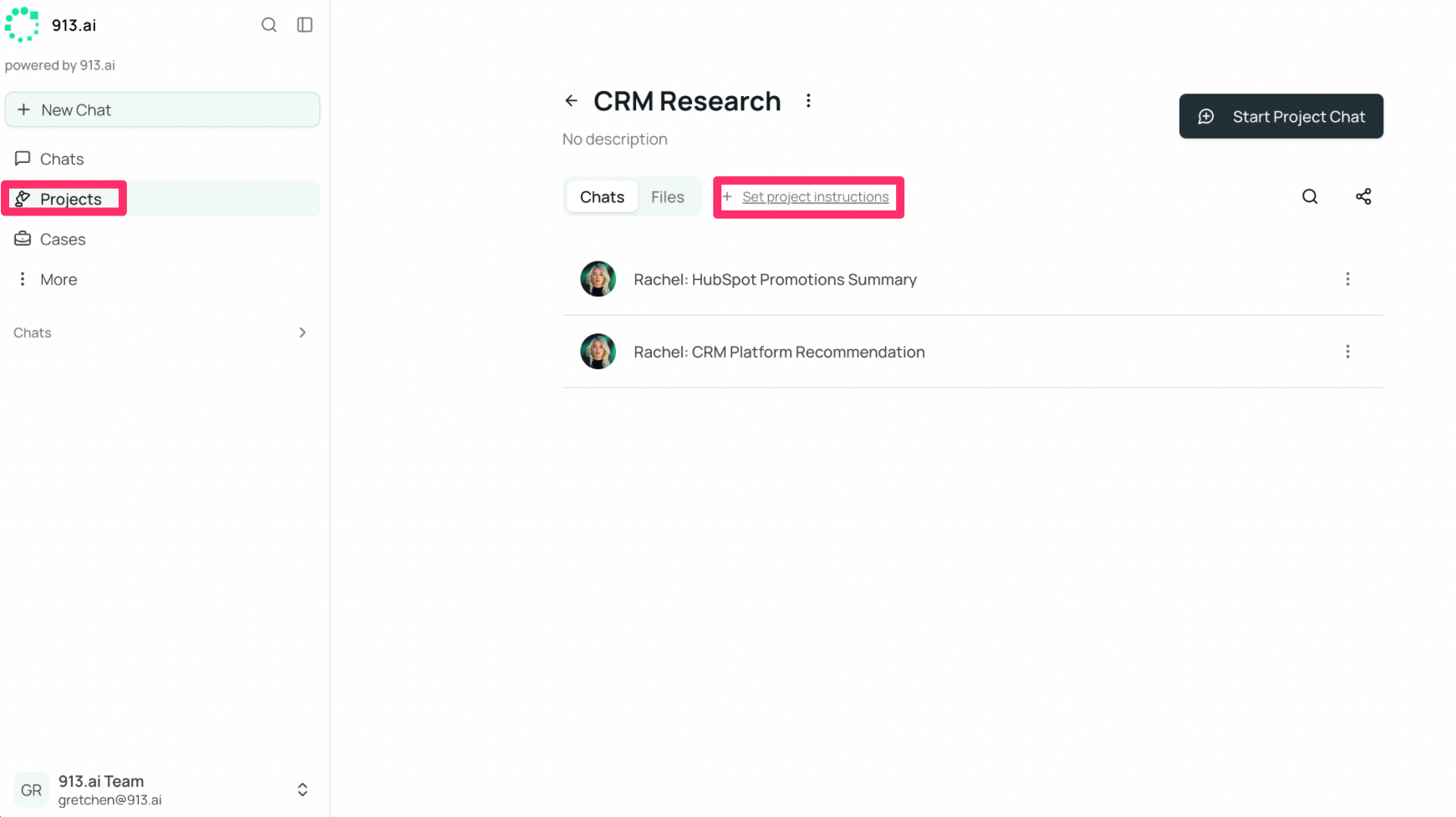
If you are working inside a Project Workspace, you can set instructions specifically for that project. These rules will automatically apply to all chats and all agents active within that specific project, ensuring cohesive teamwork and unified deliverables.
Navigate to the Projects tab on the menu
Select your desired Project
Click Set Project Instructions
Input your instructions for that specific project
Private and User-Specific by Default
It is important to note that your personal workspace instructions belong exclusively to you:
Your teammates cannot see, edit, or utilize your personal instructions.
If you and a colleague are collaborating with the same general agent, the agent will dynamically switch behaviors—following your exact guidelines when talking to you, and theirs when talking to them.
This ensures you can freely customize your digital workers without worrying about disrupting your colleagues' workflows.
Quick Best Practices
Be Clear and Explicit: Use strong directives. (e.g., Use “Write emails in this format:” instead of “Make my emails look nice.”)
Keep It Concise: Aim for one or two actionable sentences per behavioral rule rather than a massive wall of text.
Avoid Overloading: Too many competing rules can dilute the agent's focus. Stick to your core styling, tone, and operational guidelines for the best results.
Example of Good Instructions:
Write emails in this format:
Hi [Name],
Here is the update you asked for…
Thanks, [My Name]