Check if Your AI Agent is Still Working
Sometimes you need to know: "Is my AI worker still working on what I asked them to do?" Here's how to easily check their status and keep things moving smoothly!
Check the Status Button
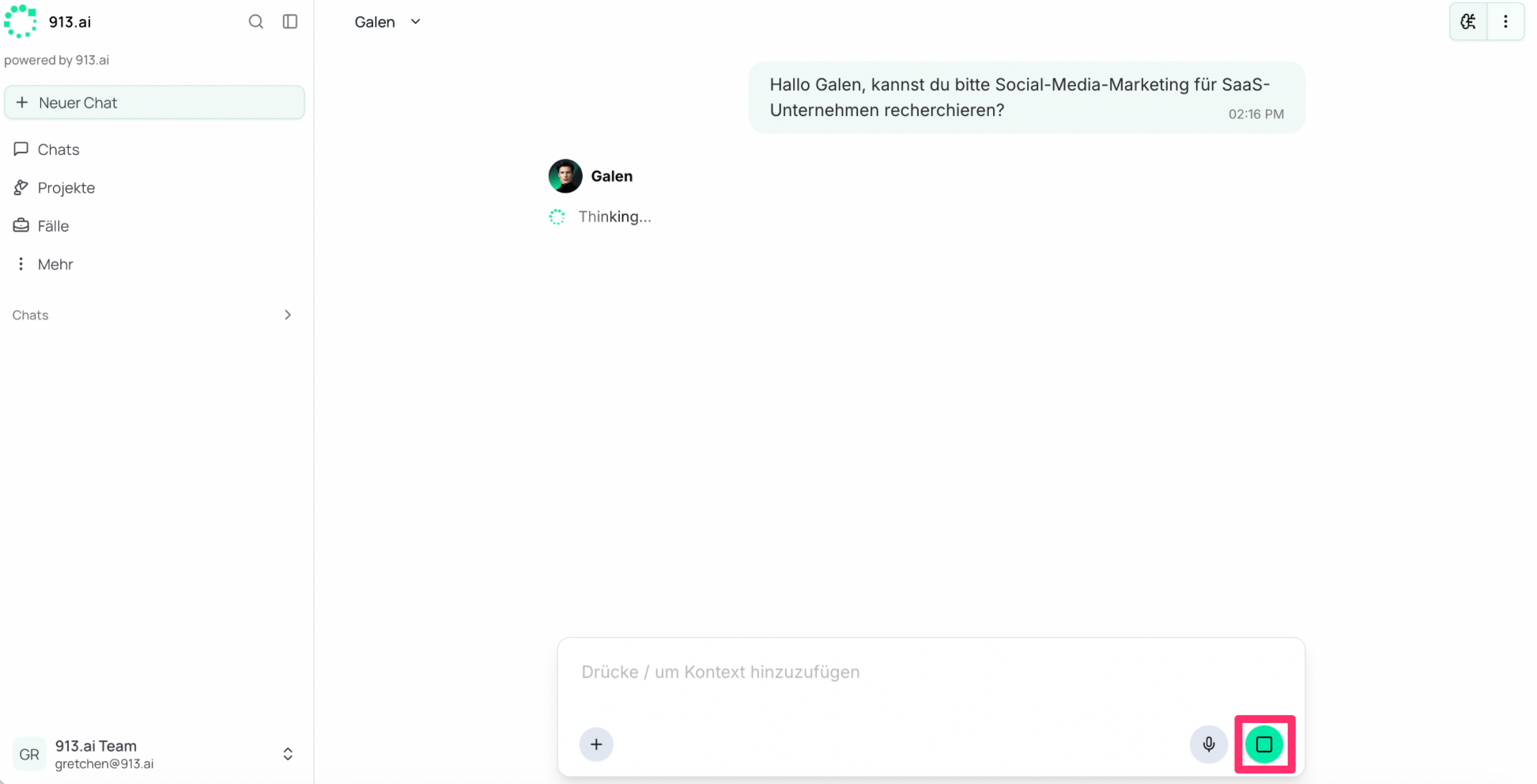
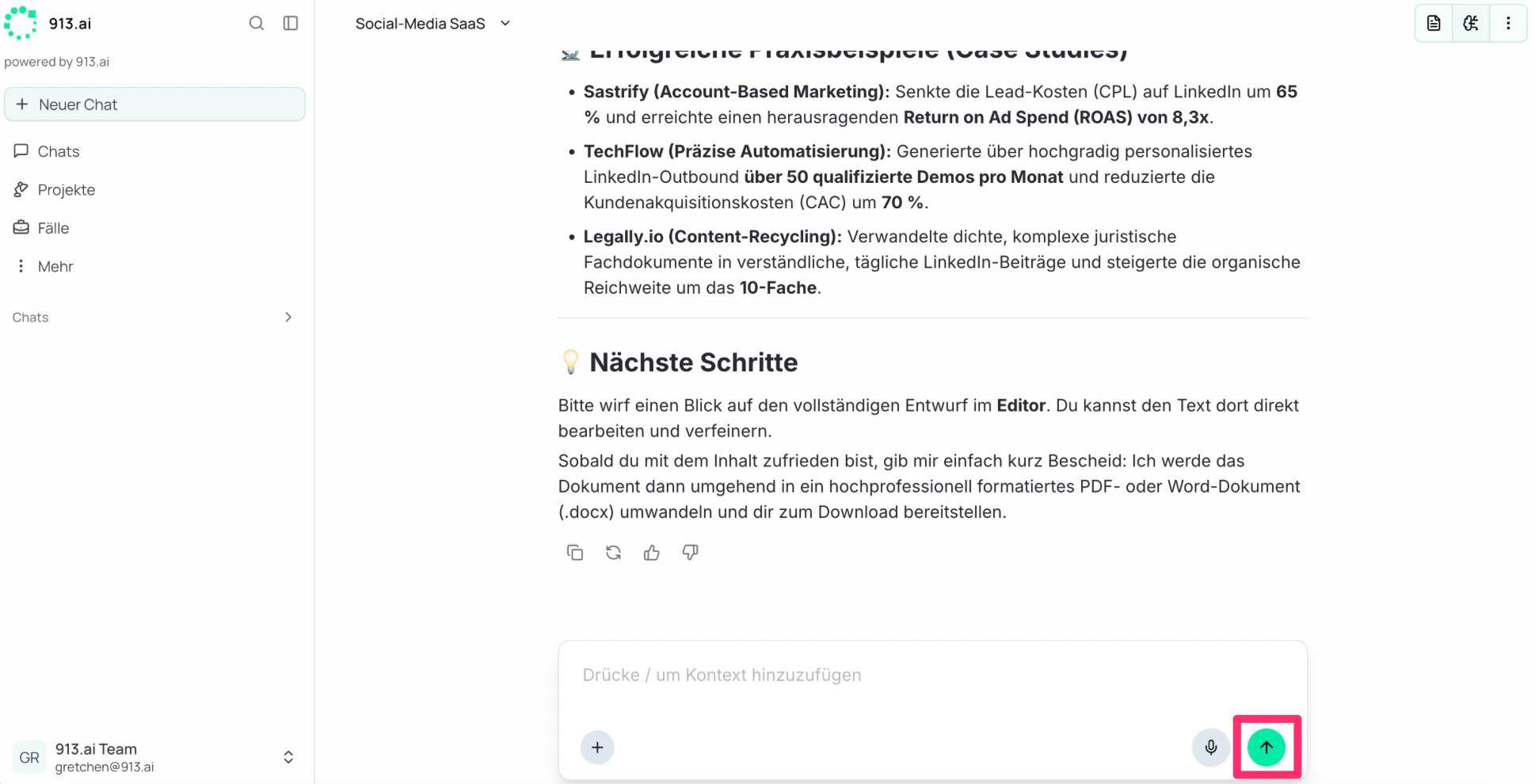
The fastest way to verify if your agent is actively on the job is by checking the primary action button located in the bottom-right corner of your chat window:
Stop Button: Indicates that the agent is actively processing your request, running background tasks, or executing tools. You can click this button at any time to pause or halt the current action.
Send Button: Indicates that the agent has finished its task, is currently idle, and is waiting for your next prompt.
See What They're Doing in Real-Time
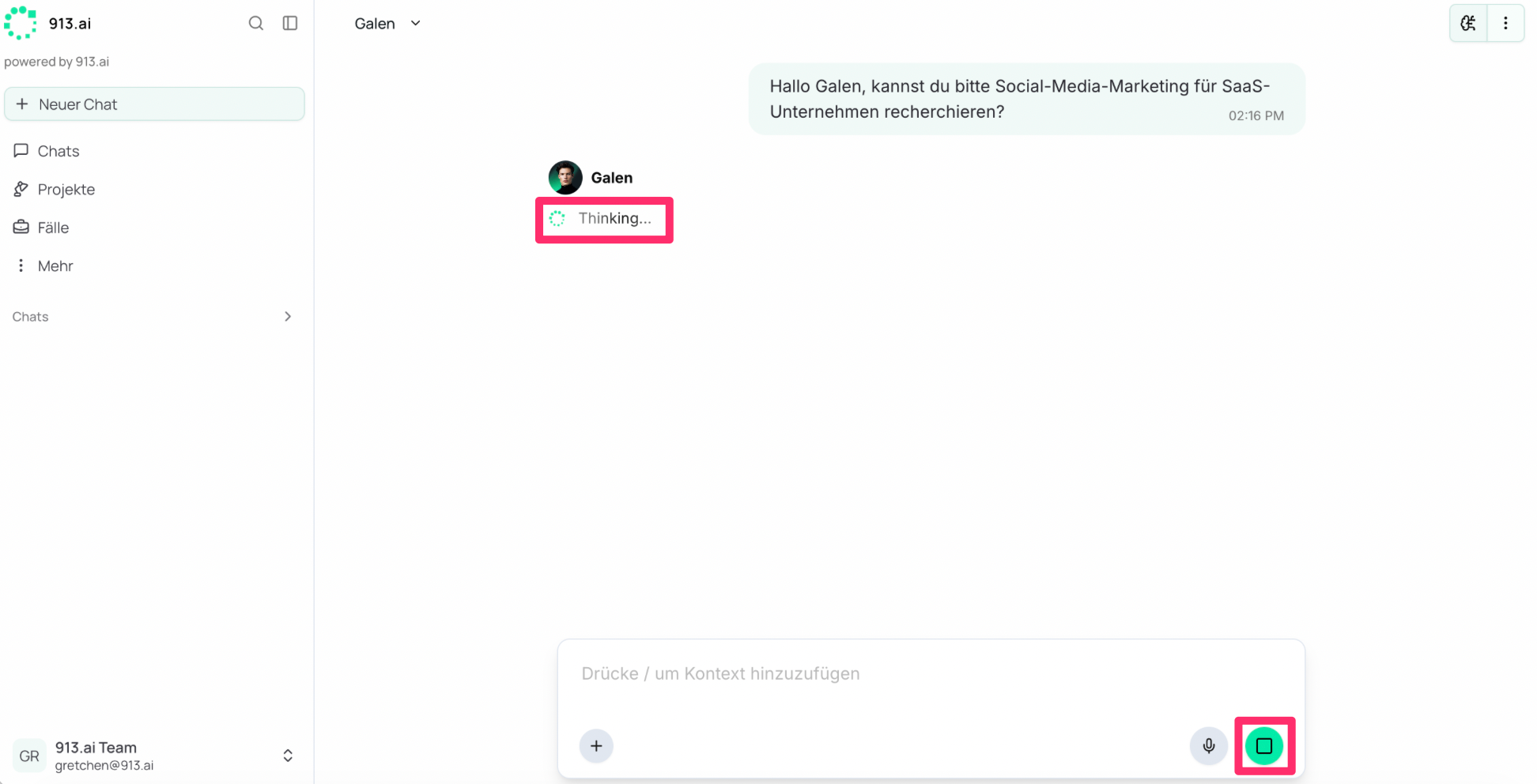
Status Updates in Chat: Your AI worker will show you exactly what they're working on in the chat window. Common status messages include:
"Thinking" – Processing your request
"Web search" – Researching information online
"Analyzing document" – Reviewing files you've shared
“Remembering” – Recalling previous conversations and files.
Long Tasks: The 25-Minute Limit
If an agent works on a task for more than 25 minutes at a time and is not finished by then, the agent notifies you.