📝 How to Edit Your Documents with the AI Agent Inside the Editor
With our new in-editor AI chat feature, you can draft, edit, and refine your documents without ever leaving the editor. Here’s how it works:
Last updated 27 days ago
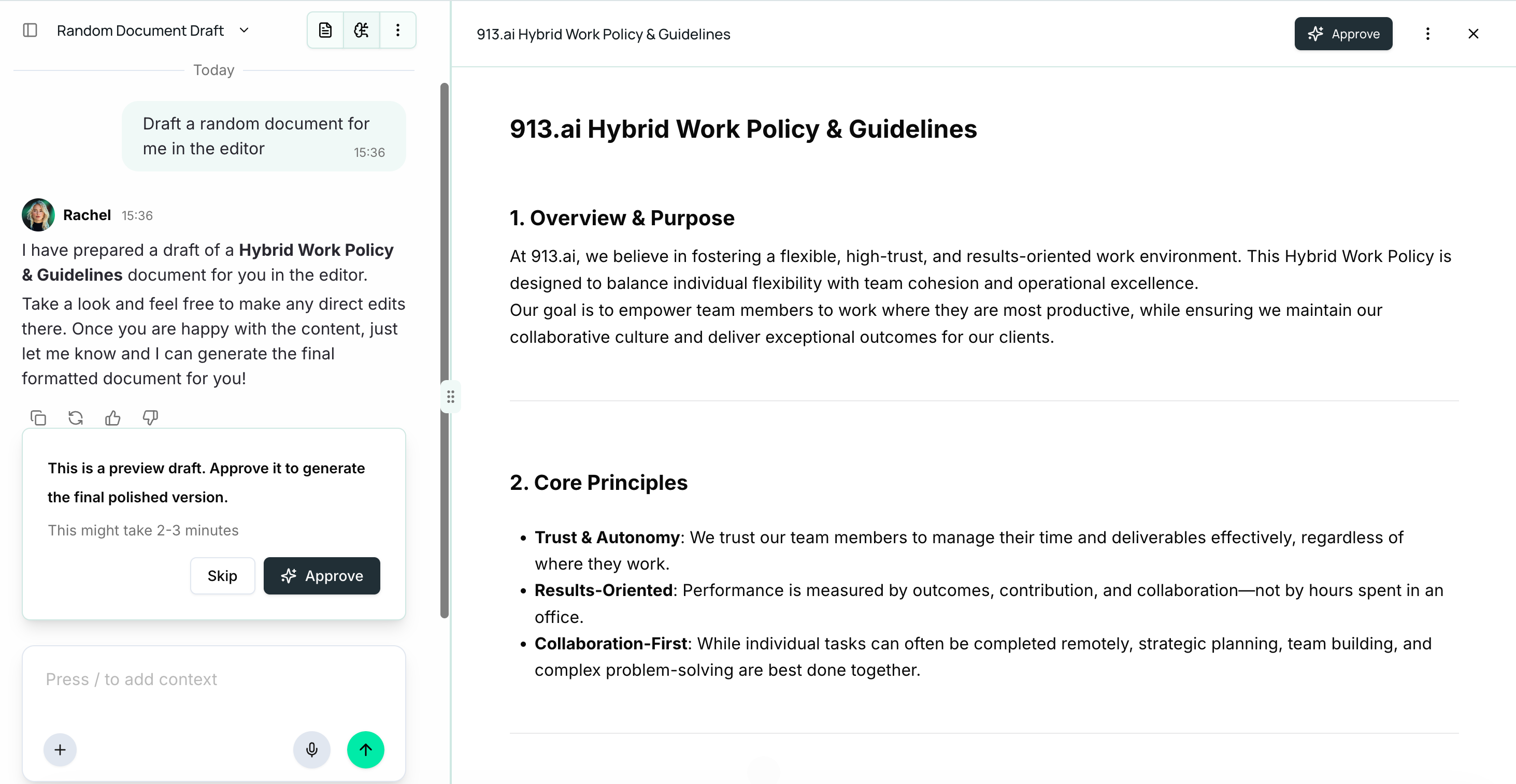
1. Draft Your Document
Start by asking the AI agent to draft the document you want, your way or just Create New Document in the “Editor” option on top.
The editor opens and your document is generated inside it.
Examples:
“Draft a client policy summary for a new health insurance plan.”
“Write a confidentiality agreement for a freelance contractor.”
2. Select Content to Edit
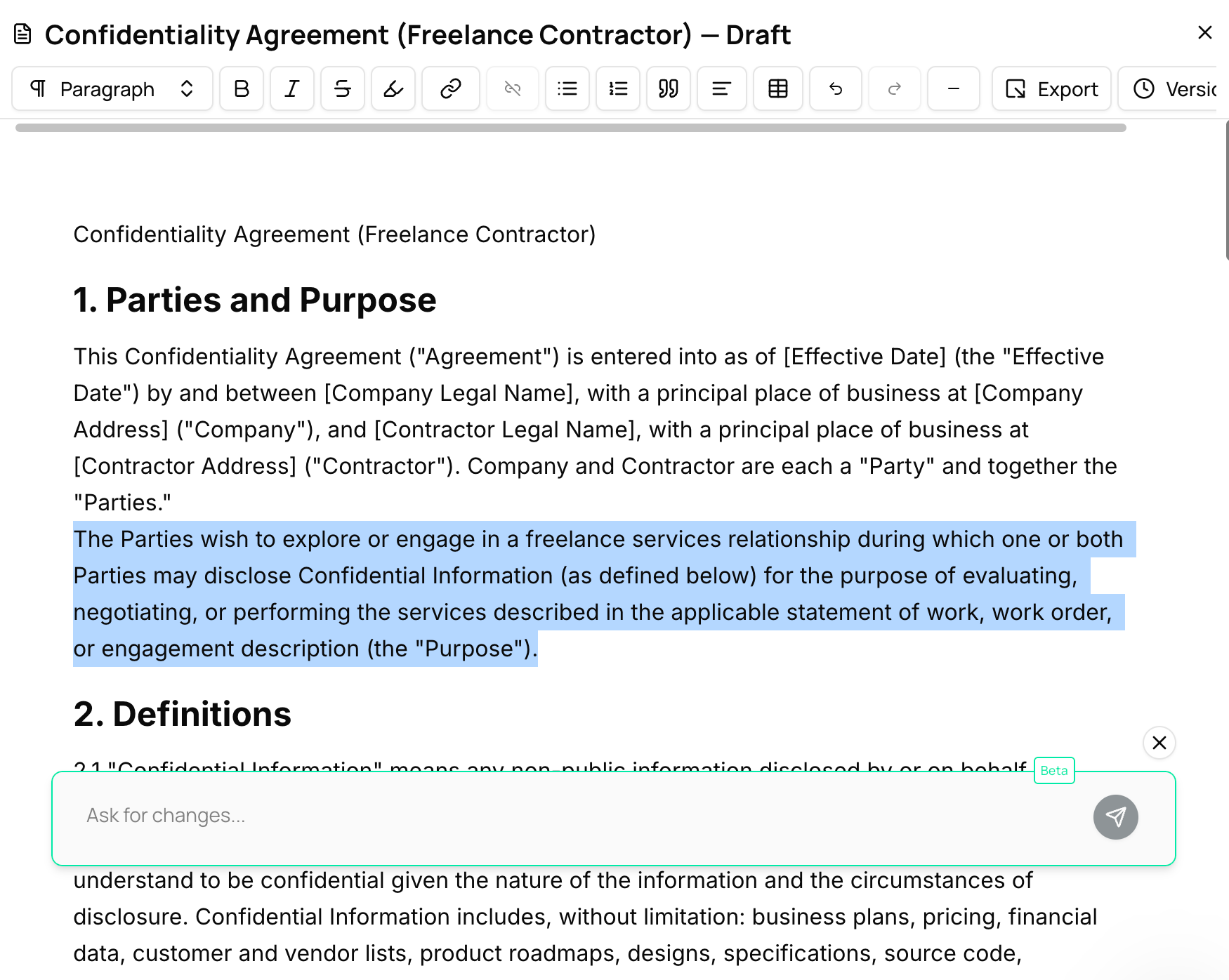
Highlight the part of your document you want to improve.
A chat box appears inside the editor.
3. Ask the AI Agent for Changes
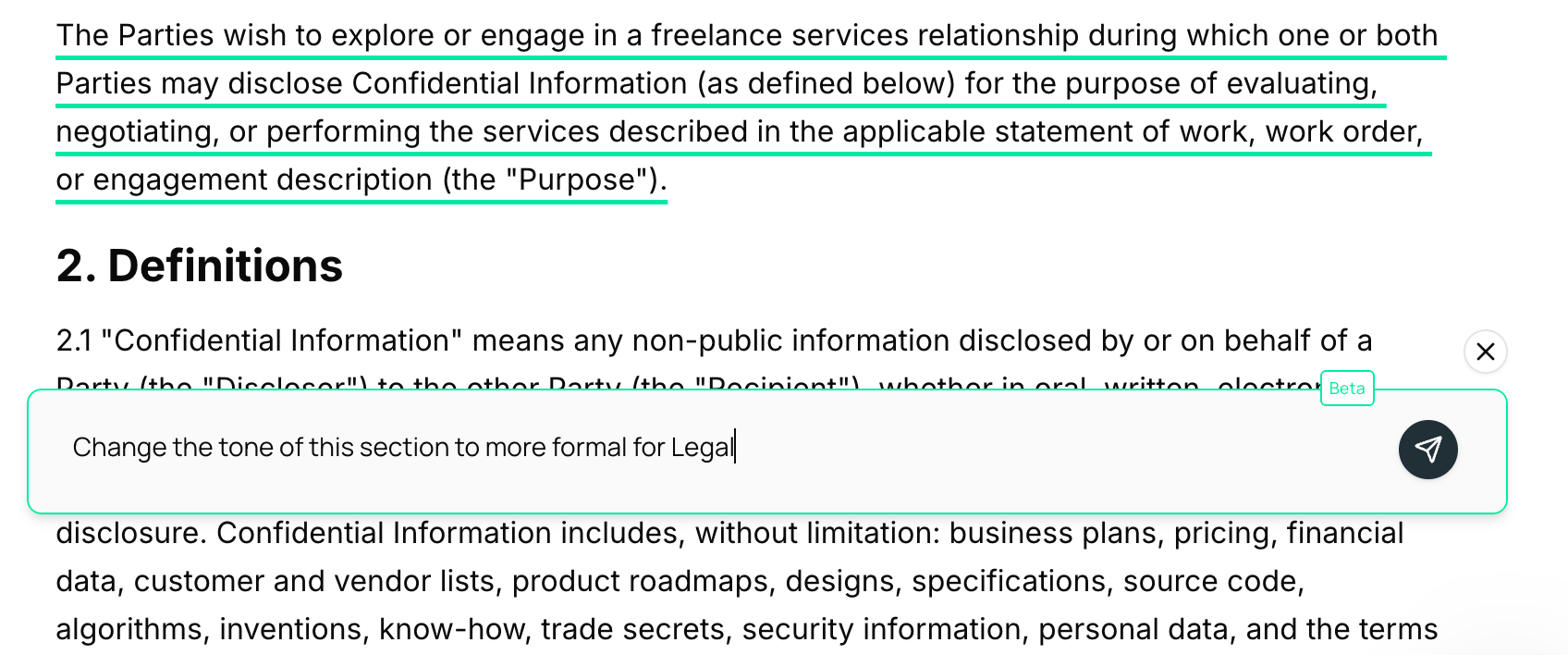
Type in the change you’d like the AI to make. You can be as specific as you want.
Examples:
“Make this compliance section easier for clients to understand.”
“Change the tone of this policy update to be more formal for HR.”
Add recent market data to strengthen this sales proposal.”
4. Review and Apply Changes
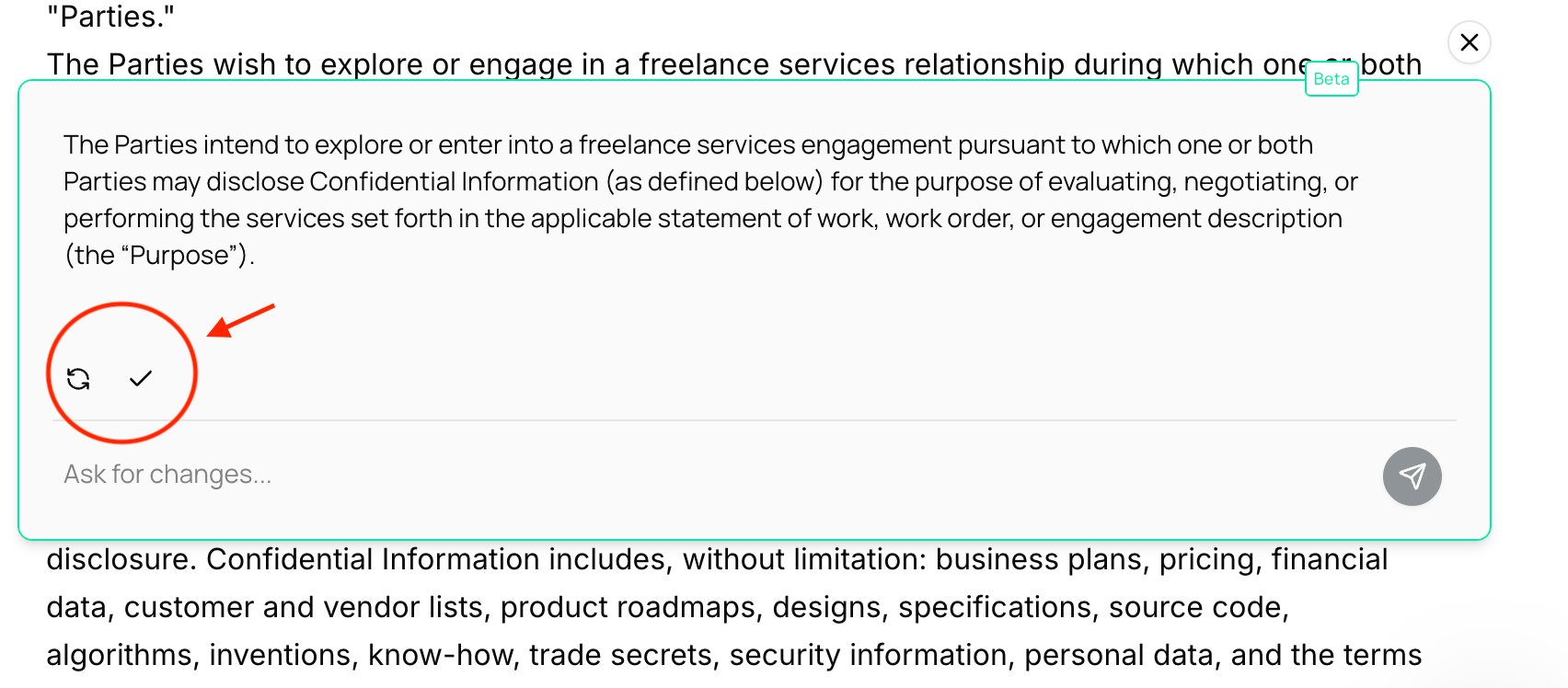
The AI agent provides you with updated content.
You can:
Accept (check icon)→ the content is directly added to your document.
Iterate (retry icon) → click Retry or ask for further changes until you’re satisfied.
5. Formatting Documents
To format any part of your document:
Firstly, select the part of the text you want to format.
Click the formatting option in “ask for changes” box that appears (Aa icon):
There you can see different formatting options like:
Make text bold, italic, or underlined.
Add bullet lists, number lists, separators, links, or parentheses.
Change text style to heading, subheading, or paragraph.
Undo or redo any changes.
7. Export Your Document
Once you’re happy with your final draft, click Export (top right corner) to download your document in standard format or click “Approve” to generate a well formatted document.
✅ That’s it! With the AI agent inside your editor, editing becomes simple, interactive, and completely under your control.
For more details on creating documents, head over to this article: Generating Files and Using the Doc Editor